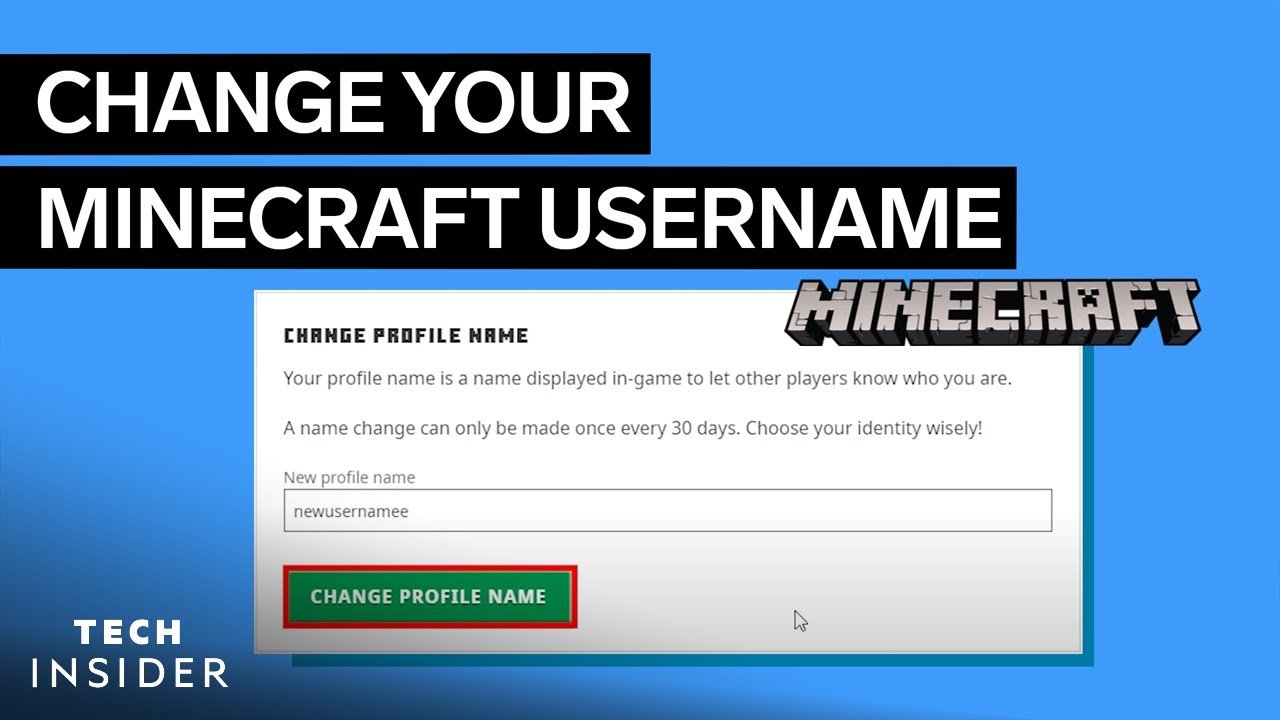
Ever caught yourself wondering how to change your username on Minecraft without losing your progress or facing account issues? Well, you’re about to get the lowdown on this, straight from the trenches of the Minecraft world in 2026 🚀. This process isn’t just about slapping on a new label; it’s about making sure your identity in the pixelated world stays uniquely yours.
- You can only change your Minecraft username once every 30 days.
- Username changes do not affect your game progress or skins.
- After change, the old username is free to be taken by others after 37 days.
Why Change Your Minecraft Username?
Maybe that old username feels stale, or perhaps you’ve grown out of that goofy nickname you picked during your first game session. Changing your Minecraft username allows you to reflect your current personality, look more professional on multiplayer servers, or simply have fun experimenting.
Important Minecraft Username Regulations
- Your username must be between 3 and 16 characters.
- Allowed characters include letters, numbers, and underscores.
- Spaces and special characters are not permitted.
Step-by-Step Guide: How To Change Your Username On Minecraft
- Log in to your Mojang or Microsoft account: Minecraft accounts switched to Microsoft accounts in recent years, so head to the official website and sign in securely.
- Navigate to your profile settings: Find the section labeled ‘Profile’ or ‘Account Settings’ where your current username is displayed.
- Choose the option to change your username: This option is usually next to your current username.
- Enter a new username: Input the new name you want to use, keeping in mind the rules above. The system will check availability automatically.
- Confirm your choice: You might be prompted to re-enter your password for security reasons.
- Save changes: Once confirmed, your username updates instantly across Minecraft services.
Heads up! After you confirm the change, your old username won’t be available for anyone else to claim for 37 days, so you have some security breathing room 🚀.
Can You Change Your Username More Than Once?
Nope. Minecraft’s name change policy lets you switch your username only once every 30 days, so pick wisely. You don’t want to be stuck with “CoolDude123” for a month if that’s not quite right.
What Happens To Your Old Username?
If you abandon your old username, it enters a 37-day cooldown before someone else can claim it, helping reduce impersonation risks. This gives you a safe period to switch back if needed.
Common Issues & Troubleshooting Tips
- Username not available: Try adding numbers or underscores; creativity pays off.
- Error during confirmation: Make sure you’re logged into the right Minecraft/Microsoft account; sometimes, multiple accounts get confusing.
- Can’t find username change option: Double-check you’re using the latest Minecraft account interface as older Mojang accounts have different steps.
For official, detailed technical assistance, consult the authoritative Minecraft name change guide from Mojang.
Keep Your Account Secure After Changing Your Username
- Update your password regularly.
- Use two-factor authentication on your Microsoft account.
- Be cautious of phishing scams claiming to be from Minecraft support.
Think of your account like a fortress 🏰. Changing the username is like changing the front gate’s banner, but the walls need to be solid. Account security remains paramount after any username modifications.
Summary: How To Change Your Username On Minecraft And Enjoy It
So, reconsidering your Minecraft identity? Knowing how to change your username on Minecraft gives you a fresh start without losing your treasured worlds and skins. Just remember the timing limits, rules, and how to navigate the Microsoft/Mojang account interface to do it safely. If you get stuck or want more detailed, official instructions, don’t hesitate to visit the official Minecraft forum name change tutorial — a great community-led resource for updates and tips.
Changing your username is straightforward once you understand the rules and process. Dive in, update your identity, and show off that new Minecraft username proudly in 2026 🚀!

Source: www.youtube.com
Frequently Asked Questions
Can I change my Minecraft username more than once?
No, you can only change your Minecraft username once every 30 days. This reduces confusion and protects security across the game.
Will changing my username affect my Minecraft worlds or skins?
Changing your username does not affect your saved worlds, progress, or skins. Everything stays intact with just your display name updated.
What should I do if my desired username is unavailable?
If your preferred username is taken, try variations with numbers or underscores, or pick a unique alternative. Usernames are shared globally, so some popular names may be claimed.
How can I secure my account after changing my Minecraft username?
Enable two-factor authentication on your Microsoft account, use a strong password, and beware of phishing attempts for the best security practices.
Where can I find official support for username changes?
Official support and detailed steps are available on the Minecraft Help Center page for changing your in-game profile name.

Christina is a technical guide writer and gaming enthusiast with years of experience breaking down complex game settings. Specializing in server optimization and game mechanics, they are dedicated to helping players seamlessly customize their Minecraft experience—from updating skins and usernames to managing technical version settings.