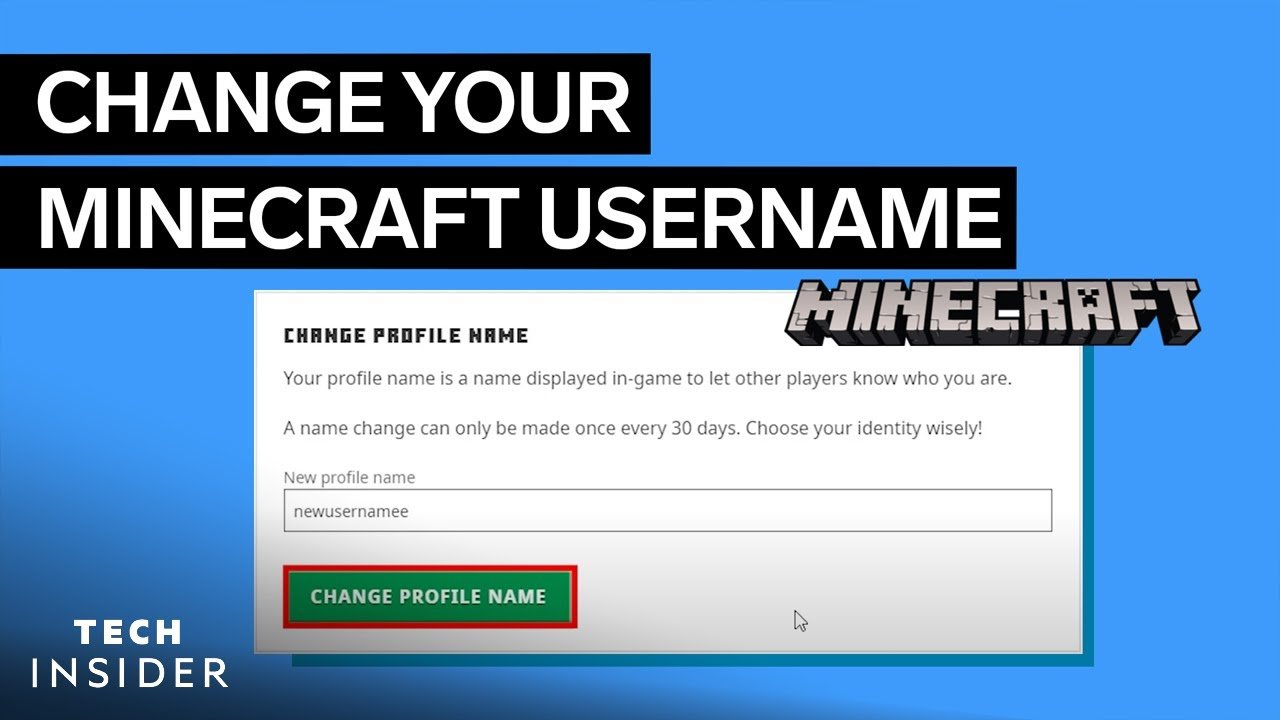
Ever wondered how to change Minecraft account name without losing your precious game progress? How To Change Minecraft Account Name might seem tricky at first, but hang tight—it’s not rocket science. This guide will take you through every step, from the basics to avoiding common pitfalls, all in 2026’s latest process.
- Minecraft usernames can be changed once every 30 days.
- You need access to your Mojang or Microsoft account.
- Changing your name won’t affect your purchased content.
What Is Minecraft Account Name and Why Change It?
Your Minecraft account name is your unique identifier visible during gameplay and on leaderboards. Players often want to change it for personal branding, privacy, or just a fresh start. Whatever your reason—whether you want to ditch “BlockHero123” or adopt a cooler handle—the process is straightforward but requires patience.
Things to Consider Before Changing Your Minecraft Name
- Username availability: Some names are already taken, so pick wisely.
- Cooldown period: You can only change your account name once every 30 days.
- Impact on friends list: Your friends still recognize your UUID, so no worries about losing connections.
Step-by-Step Guide: How To Change Minecraft Account Name
- Log into Your Mojang or Microsoft Account
Since late 2020, Mojang accounts have migrated to Microsoft accounts for increased security. - Navigate to Your Profile Page
Find the “Profile” or “My Account” section where your current username is displayed. - Select “Change Name” Option
This button takes you to the username change interface. - Enter Your Desired New Username
Type a name that follows Minecraft’s username rules: 3-16 characters, no spaces, letters, numbers, and underscores only. - Confirm and Verify
Check availability and confirm the change. Answer security prompts if necessary. - Wait for the Name Change to Process
Your username will update instantly, but in-game servers might take a few minutes to reflect changes.
Common Problems When Changing Minecraft Account Name
- Username Taken: Popular or simple names get snatched fast. Try creative variations.
- Account Migration Issues: Some Mojang accounts might not have migrated properly. Check Microsoft migration status.
- Billing or Purchase Conflicts: Changes do not affect your game purchases, but double-check if you use third-party platforms.
Tips to Secure Your Minecraft Account Before Changing Name
- Enable two-factor authentication on your Microsoft account.
- Check your email for verification codes.
- Never share your password or account details.
How Changing Your Minecraft Name Impacts Gameplay
Changing your Minecraft username does not affect in-game items, saved worlds, or Mojang purchases. Your Account’s UUID (unique identifier) remains the same behind the scenes, so friends and servers recognize you without trouble.
Alternatives If You Don’t Want To Change Your Minecraft Account Name
- Use “nicknames” on multiplayer servers that allow in-game renaming.
- Create a new account but beware of purchasing the game again.
- Customize your player skin and avatar for a fresh look without name changes.
2026 Update: Account Migration and Name Changes
Since the full migration to Microsoft accounts, all official username changes must be done through your Microsoft profile. Old Mojang accounts that haven’t migrated won’t be able to change their username until migration completes. This ensures better security and integrates your game settings with your Xbox profile.
Expert Advice for a Successful Minecraft Name Change
“Think of your Minecraft username as your digital signature — unique and reflective of your style. Changing it is like switching your digital costume; do it carefully, and you’ll stand out on multiplayer servers.” — Gaming Expert, Sasha
Summary checklist before changing your Minecraft name
- Verify Microsoft account login.
- Ensure desired username meets all criteria.
- Prepare for 30-day cooldown after change.
- Enable additional account security.
- Update your friends and servers about the change if needed.

Source: www.youtube.com
Frequently Asked Questions
Can I change my Minecraft username more than once?
No, you must wait 30 days between name changes to prevent abuse and confusion.
Will changing my Minecraft name delete my worlds or purchases?
Changing your username does not affect saved worlds, purchased content, or account data.
What if my desired Minecraft name is already taken?
You will need to pick a different name. Try adding numbers or underscores for uniqueness.
How do I know if my account was fully migrated to Microsoft?
Check your email for migration instructions or visit the Microsoft account page. Without migration, you cannot change the username in 2026.
Can I use third-party sites to change my Minecraft account name?
Never use third-party websites for username changes. Use only official Mojang or Microsoft portals to avoid scams.

Christina is a technical guide writer and gaming enthusiast with years of experience breaking down complex game settings. Specializing in server optimization and game mechanics, they are dedicated to helping players seamlessly customize their Minecraft experience—from updating skins and usernames to managing technical version settings.