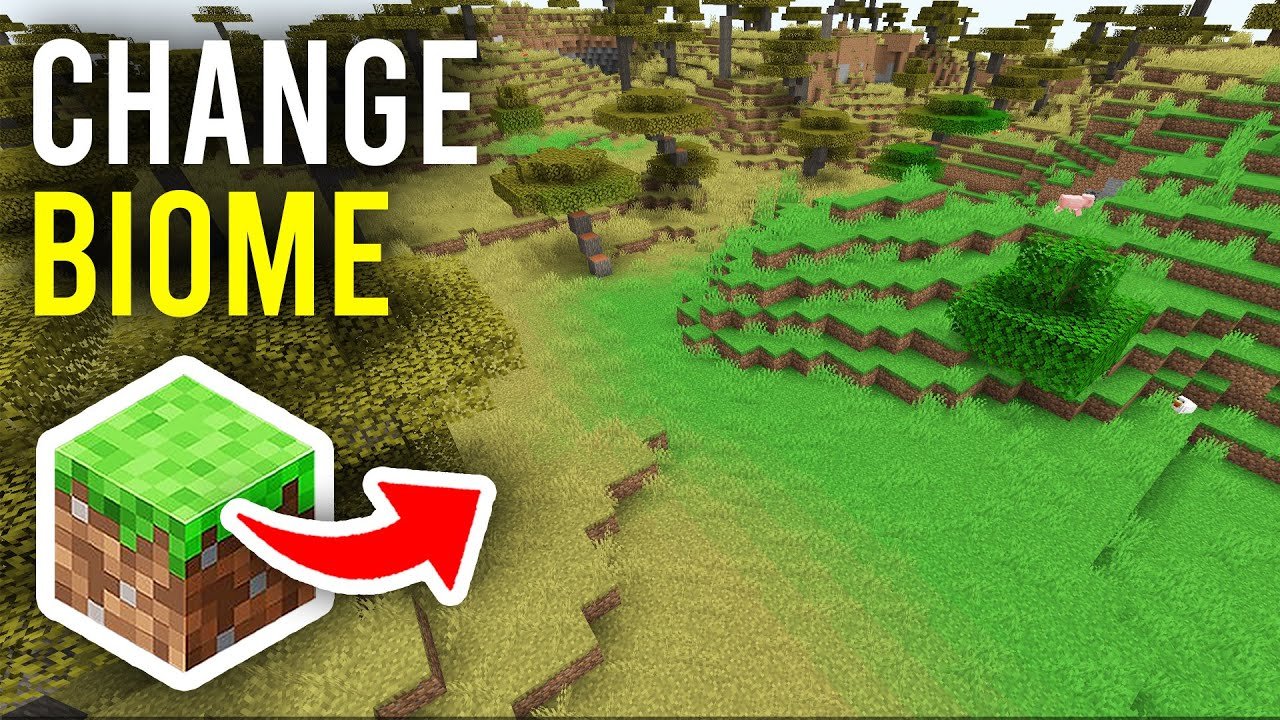
Ever wondered How To Change Biome In Minecraft without losing your world’s charm? Imagine being stuck on a lone frozen tundra when you secretly crave a lush jungle nearby — the question hits: how do you change the biome itself?
In Minecraft 2026, players have more tools than ever to manipulate their environments, tweaking biomes to fit their fantasy (or challenge). Whether you’re a veteran builder or curious newbie, this guide cuts through confusing jargon into practical steps so you can bend your biome as you please. Spoiler: It’s easier than you think once you know the commands and mods involved.
Understanding Minecraft Biomes
Your game world is divided into different regions called biomes — from deserts baking under the sun to snowy mountains capped with ice. Each biome brings unique features: plants, animals, weather, and terrain. Minecraft versions since 2026 include over 80 biomes, giving players expansive variety.
Grasping these basics helps in understanding why you might want to change a biome – it’s not just for visuals but also for gameplay dynamics.
What Are Biomes?
Biomes represent the varied natural environment categories within Minecraft. Some examples:
- Desert – arid and sparse
- Forest – dense with trees
- Swamp – murky water and sludgy land
- Jungle – tall trees and vines
- Savanna – dry grasslands
Why Change a Biome?
Maybe your epic fortress sits awkwardly in a cold biome you dislike, or you want to simulate a tropical environment for photo-worthy shots. Sometimes, changing biomes is crucial for creative or modded gameplay.
“Think of a player named Sam who built a desert city but longs for a blooming cherry blossom vibe nearby — changing the biome lets Sam bring his dream to life without starting over.” 💬
Methods To Change Biomes In Minecraft
Now the big question: how do you actually perform a biome change? Here’s a rundown.
Using Minecraft Commands
From the Minecraft 2026 update, commands became more potent. The `/fillbiome` command lets you directly change biome within a specific cuboid region you select with coordinates.
- Open your chat window.
- Type the command:
/fillbiome <x1> <y1> <z1> <x2> <y2> <z2> <biome> - Replace coordinates with your region, biome name with the target biome.
- Hit enter; watch the pixels transform.
Note: This command only works in the latest Minecraft Java Edition and some Bedrock versions — but not in older ones.
For a comprehensive list of biomes recognized by commands, Minecraft’s official documentation is your best bet with exact biome IDs and component details. You can check it on the Minecraft biome components official guide.
Editing Biomes Through Mods and Tools
If you’re into modding, world editing programs like MCEdit, WorldEdit, or Amulet offer GUI options to swap or paint biomes on your chunks. These tools provide more flexibility than commands but require installing and loading your world in external editors.
Expert users tend to prefer these methods for large, complex changes due to their precision controls and preview functions.
Biome Changing With Data Packs
2026 saw rise in biome-changing data packs that automate biome swaps based on triggers or player areas. You can install these data packs from community sources to simulate biome transitions or weather patterns seamlessly.
Step-By-Step Guide: Change Biome Using Commands
Let’s get practical. Suppose you want to turn a swamp area into a desert.
- Identify the coordinates of the swamp region you want to convert. Use F3 debug screen or coordinate maps.
- Open the chat and enter:
/fillbiome 100 60 100 120 70 120 desert(adjust coordinates as per your area). - Execute and watch the transformation.
- Reload your chunks (use F3 + A on Java) to refresh visuals if necessary.
Things To Keep In Mind When Changing Biomes
Ponder this — biome changes are not always instantaneous or perfect. Terrain features like trees or water bodies don’t automatically regenerate; you might need to plant new trees or use commands to spawn environment-specific blocks.
Changing biomes influences game mechanics such as mob spawning and weather, so altering an area from a snowy biome to desert means no snow and different creatures.
Creative Uses For Biome Changing
- Build fantasy landscapes mixing multiple biomes
- Create survival challenges by switching harsh environments
- Enhance story maps with biome-based events
- Adjust biome ambiance for aesthetic screenshots
Advanced Biome Manipulation: What the Pros Do
Experienced creators combine biome commands with custom mods and data packs for unique worlds. They use conditional biome swapping in adventure maps to trigger changes based on player location, adding immersive gameplay.
Community sites like Minecraft Stack Exchange reveal scripts and tricks shared by passionate players exploring biome boundaries — it’s a goldmine if you want to push limits.
Explore biome alteration discussions on Minecraft Stack Exchange to see practical community ideas.
Conclusion
So, How To Change Biome In Minecraft? It boils down to your preferred method: command-line precision or creative mod tools. Both allow you to dramatically reshape your world’s environment without a full reset.
Remember, biome changing impacts gameplay and visuals profoundly — wield it wisely to build worldscapes that wow or challenge. And don’t forget: your world backup is your lifeline when experimenting! Now go craft that perfect biome blend and turn your pixels into paradise. 🚀

Source: www.youtube.com
Frequently Asked Questions
Can I change the biome in Minecraft without mods?
Yes, the latest Minecraft versions support the /fillbiome command, letting you change biomes in selected areas without external mods.
Will changing a biome affect mobs and weather?
Absolutely. Biomes determine which mobs spawn and what weather occurs, so changing a biome will change these elements accordingly.
Are biome edits permanent?
Once applied in the world, biome changes persist unless further changed or the world is reset, but backups are recommended as unexpected glitches can occur.
What’s the easiest tool for beginners to change biomes?
Commands like /fillbiome are easiest for beginners. More advanced users might opt for tools like MCEdit or WorldEdit for finer control.
Is it possible to create custom biomes?
Custom biomes require advanced modding or data packs. There are mods that enable creation of new biome types, adding unique features and terrain.

Christina is a technical guide writer and gaming enthusiast with years of experience breaking down complex game settings. Specializing in server optimization and game mechanics, they are dedicated to helping players seamlessly customize their Minecraft experience—from updating skins and usernames to managing technical version settings.