Ever wandered back to your Minecraft base only to find yourself miles away where you didn’t plan to respawn? 🎮 That frustration is real, but the trick lies in mastering how to change spawn point in Minecraft. It’s not just about placing beds—you’ve got commands and mechanics to explore that can put you back exactly where you want each time you reboot your session. Whether you’re running survival mode or creative, nailing this can save hours of wandering and lost gear panic.
Minecraft Spawn Mechanics Uncovered
First, understand this: Minecraft’s spawn points divide into two types. There’s the world spawn, the original entry point for all players on a server or world, and then there’s the player spawn, the individualized spot you appear after death—usually set by the last bed you slept in. The difference is crucial when you’re figuring out how to change spawn point in Minecraft.
What Triggers Spawn Changes?
- Sleeping in a bed sets your personal spawn.
- Death without a bed drops you back at world spawn.
- Commands can override both.
Setting Your Spawn Point The Old-School Way: Beds
No tech fuss here—just classic Minecraft survival. To set your spawn point, place a bed and sleep through the night. Easy, right? But caution: if your bed is destroyed or obstructed, you’ll fall back on the world spawn location upon death.
How Beds Influence Spawn Points
It’s simple. Your spawn point resets to your bed’s coordinates every time you sleep. No manual commands needed here, but remember that if your bed’s missing, you’ll spawn back at the world spawn.
Using Commands To Command Your Spawn – The Power of /spawnpoint
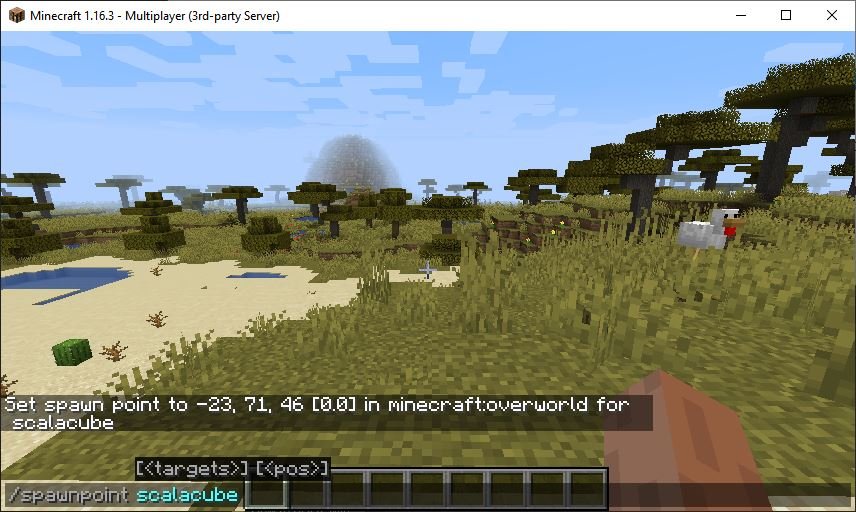
Want more precision? The /spawnpoint command allows you to set your individual respawn coordinates to anywhere you want—plus it works for others if you have admin rights.
💬 “I command my spawn point situated just inside my fortress. One mishap & I pop right back there. Game-saving!” – a veteran Minecraft player
How to use it? Open your chat and type:
/spawnpoint [player] <x> <y> <z> — Replace [player] with the username and the x, y, z with coordinates.Command Example
- Find desired location coordinates by pressing F3.
- Open chat.
- Enter
/spawnpoint YourUsername 100 64 -300(example coordinates).
Now, each time you respawn, boom – exact same spot. No surprises.
Resetting Your Spawn Point Back to Your Bed
Sometimes you mess up and set your spawn incorrectly. Luckily, returning your respawn point to your bed, if you have one intact, is straightforward. Just sleep again or reissue the /spawnpoint command inside your base next to your bed.
Check out this guide on resetting your spawnpoint back to your bed for practical steps. It’s a lifesaver.
Changing Spawn Point In Different Minecraft Game Modes
Survival Mode
Sleeping in beds and commands work here. Beds are essential.
Creative Mode
Often uses commands rather than beds since players don’t die traditionally.
Adventure Mode
Commands are your friend here. Beds may not always be available.
Where To Place Your Spawn Point For Maximum Safety?
- Inside your main base fortress.
- Near essential supplies and crafting stations.
- Secure from mobs and environmental hazards like lava.
Common Mistakes & How To Avoid Them
Ignoring Bed Safety
Don’t put beds where creepers hang out. One explosion equals hours lost.
Forgetting Coordinates When Using Commands
Always verify coords before setting spawnpoint to avoid respawning in lava or void traps.
Relying Solely On World Spawn
Without setting personal spawn, deaths become huge setbacks.
Advanced Tips For Hardcore Players
Use command blocks to create spawn reset areas. It automates resetting spawn points after tough battles. Also, combine waypoint mods with spawnpoint commands for ultimate base defense.
Using Minecraft Education Edition For Spawn Control
The Education Edition adds extra features for spawn point control and commands. Check out this Minecraft Education video to see how spawnpoint commands take a front seat here.
Why Mastering Your Spawn Point Matters In 2026 Minecraft
The world of Minecraft is evolving rapidly. Missed spawn points can be brutal if you’re streaming, working on complex builds, or engaging in battles. Mastering how to change spawn point in Minecraft means smoother gameplay and less downtime. No one has time for endless wandering when excitement awaits! 🚀
Grow With Spawn Point Controls
Think about “Alex,” a player who uses command blocks in a server to rotate spawn points strategically in PvP wars. That level of control isn’t just skill; it’s survival. Whether casual or pro, learn these mechanics—you’ll thank yourself when that creeper strikes.
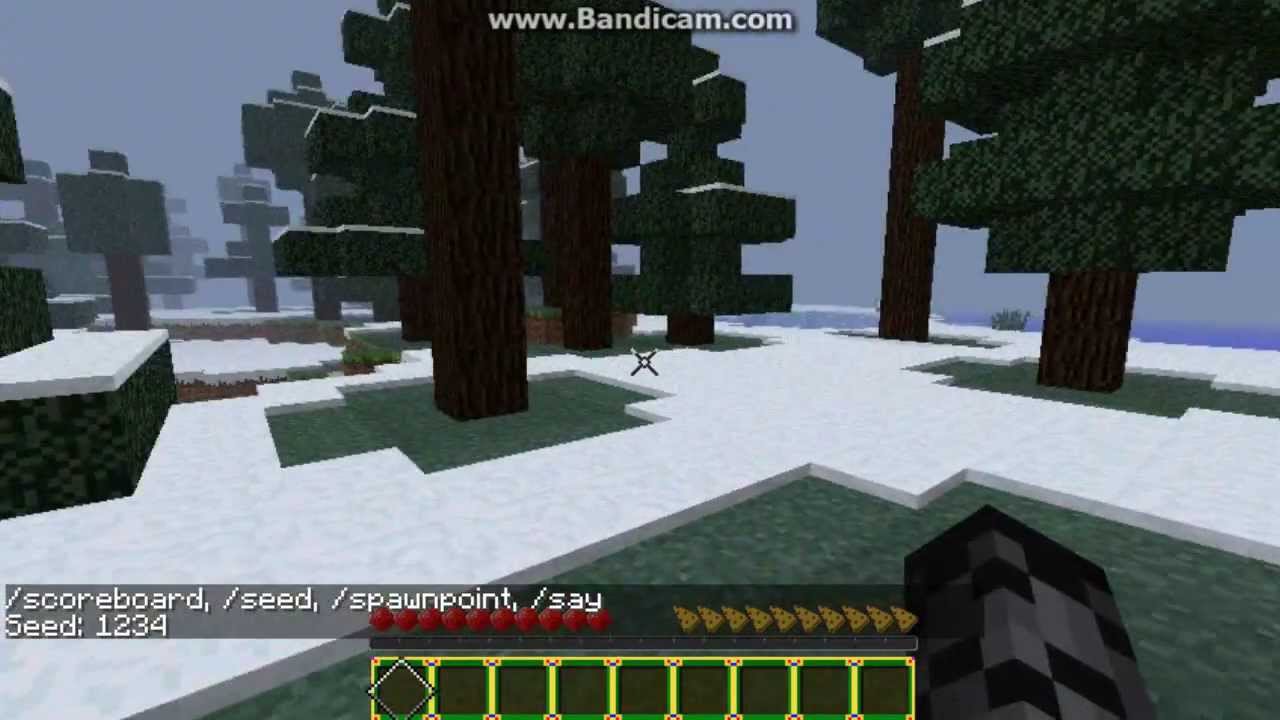
For a visual walkthrough on the basics, here’s a great tutorial on changing your spawn point easily that complements these tips perfectly.
Source: www.youtube.com
Frequently Asked Questions
How do I change my spawn point in Minecraft without a bed?
Use the /spawnpoint command with your current coordinates or desired location. This sets your personal respawn point even without a bed.
Can I change another player’s spawn point on a server?
If you have admin privileges, yes. Use /spawnpoint [player] <x> <y> <z> to set their spawn.
What happens if my spawn bed is destroyed?
Your spawn resets to the world spawn point. You can reset it by placing and sleeping in a new bed or using commands.
Why does my spawn point keep resetting?
This happens if you die in a dimension without a safe bed, or if you never slept in a bed after spawn setting. Ensure your bed is intact and used or commands are saved.
Is there a limit to how often I can change my spawn point?
No limit exists; you can change your spawn as many times as you want using beds or commands.
Does changing spawn work in Minecraft multiplayer?
Yes, but usually only with command privileges or by sleeping in beds. Server settings might restrict commands.

Christina is a technical guide writer and gaming enthusiast with years of experience breaking down complex game settings. Specializing in server optimization and game mechanics, they are dedicated to helping players seamlessly customize their Minecraft experience—from updating skins and usernames to managing technical version settings.