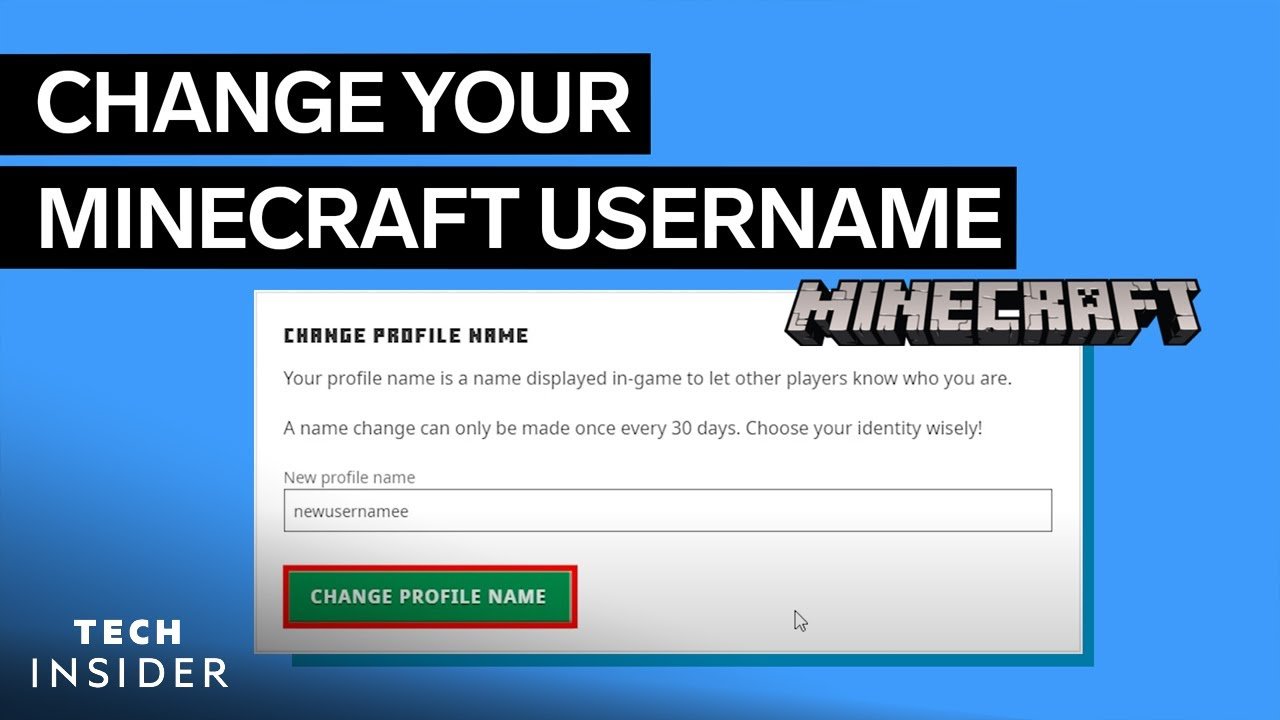
Ever wondered how to quickly change your Minecraft username without the headache? Minecraft How To Change Your Username is surprisingly straightforward if you know the ropes. Imagine you’re stuck with a username you picked years ago, something like CraftMaster99, and it seriously cramps your style today. Fear not — this guide breaks down the exact steps to swap that old name for a fresh one, ensuring you look slick in every game lobby.
First off, understand that Minecraft usernames are tightly linked to your Mojang or Microsoft account, depending on which system you use as of 2026. This means your username is more than just a display name — it’s a key part of your gaming identity. You get one free change every 30 days, so plan accordingly!
How to Change Your Minecraft Username
Create a Backup Before Changing Your Username
Backing up your Minecraft worlds and settings is critical before diving into a username update. Why? If something weird happens (it rarely does), you want your worlds safe. Copy your “saves” folder from the Minecraft directory.
Step 1: Log Into Your Mojang or Microsoft Account
Head over to your account on the official Minecraft website. Are you still using a Mojang account? Microsoft accounts took over recently, so if you migrated, this changes where you log in.
You can follow the detailed official process for Microsoft users to change usernames on Minecraft Education Edition accounts.
Step 2: Navigate to Profile or Settings
Once logged in, hunt down the profile or settings section where your current username is displayed. Don’t get trapped in menus — it’s usually front and center on the dashboard.
Step 3: Check Username Availability
Type your desired new username into the provided field. Minecraft will immediately tell you if it’s available or taken. Remember, popular or simple names vanish fast, so stay creative.
Step 4: Confirm Your New Username
After confirming your choice, you’ll get that satisfying “username changed successfully” message. Be sure — changes occur once every 30 days, and you can’t revert instantly.
Extra Tips for Minecraft Username Changes
- Change your username during off-peak hours to avoid slowdowns.
- Notify friends on multiplayer servers to avoid confusion.
- Update your username on all linked services, including forums and marketplace accounts.
Common Issues and How to Fix Them
Username Not Updating?
Try logging out and back in or clear Minecraft’s cache. Sometimes, servers take time to refresh your new name across all realms.
Username Taken?
If a name is snapped up, think about using underscores or numbers. Persist with creativity rather than frustration.
Account Locked or Problems Logging In?
Double-check you’re using the right account login method (Microsoft vs Mojang). Visit the official Minecraft help forums for assistance.
Why Should You Change Your Username?
Updating your username freshens your online persona, especially in communities where reputation and personal branding count. Plus, it’s fun to reimagine yourself! Some players change names to reflect new interests, clans, or simply for a reboot.

Source: www.youtube.com
Frequently Asked Questions
How many times can I change my Minecraft username?
You can change your username once every 30 days, so choose your new name wisely to avoid frequent changes.
Will I lose my Minecraft worlds if I change my username?
No, your worlds remain safe. Username changes don’t affect saved games or server progress but backing up is recommended.
Can someone else take my old username after I change it?
Yes, after you change your username, your old username becomes available to others immediately.
Is there a cost to changing my Minecraft username?
No. Minecraft allows one free username change every 30 days without any charges.
What happens if my new username is not available?
You’ll have to select a different name; try variations or add numbers to find an available option.
Mastering Minecraft How To Change Your Username in 2026 sets you apart in this dynamic gaming world. Ready to impress your friends and freshen your profile? Just remember—one free change every 30 days, linked accounts that need updating, and always backup your worlds before switching. Want even more detailed visual guidance? Check out this comprehensive Minecraft username change tutorial on YouTube’s step-by-step Minecraft username guide. 🚀 Have fun rocketing your Minecraft identity forward!

Christina is a technical guide writer and gaming enthusiast with years of experience breaking down complex game settings. Specializing in server optimization and game mechanics, they are dedicated to helping players seamlessly customize their Minecraft experience—from updating skins and usernames to managing technical version settings.