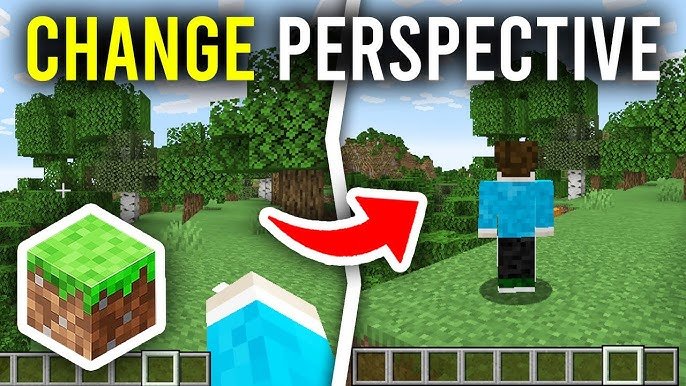
Ever get stuck wondering how to switch your perspective in Minecraft after jumping headfirst into a new world? How To Change View In Minecraft isn’t just a quick toggle—it totally reshapes your gameplay experience. Whether you’re dodging creepers or building epic structures, knowing your angles can change the game. Let’s break it down.
Why Change Your Minecraft View?
Switching views isn’t about style alone; it’s tactical. A first-person view drops you in the thick of the action, immersing you fully. Third-person views, either from behind or the front, widen your field of vision, letting you spot threats sneaking up or admire your skin’s flashy armor from every angle.
When to Use Each View
- First-person for combat and precise building.
- Third-person back to navigate crowded spaces and check your surroundings.
- Third-person front primarily for screenshots or admiring your character.
How To Change View In Minecraft: The Basic Methods
Changing views is surprisingly simple, but it varies by platform.
Keyboard and Mouse (Java Edition)
- Press the
F5key to cycle through views. - The order loops: first-person → third-person back → third-person front → back to first-person.
Minecraft Bedrock Edition (Windows 10, Consoles, Mobile)
On Bedrock, change perspective via the settings menu:
- Pause the game.
- Go to Settings → Video.
- Find the “Camera Perspective” option and select your preferred view.
Advanced Tips for Switching Views
Think of the guy on 4th Street—he’s building a redstone contraption. First-person might slow him down, so he switches to third-person back view for a bird’s eye check on wiring. Being flexible with perspectives can supercharge your creativity and efficiency.
Using Hotkeys Efficiently
Rather than fumbling through menus, learn hotkeys. On Java, F5 is gold. For consoles, check controller mappings; sometimes, it’s a thumbstick press or a button combo.
Settings to Enhance View Experience
- Increase field of view (FOV) for a panoramic look.
- Toggle smooth camera movements for cinematic feel.
- Adjust GUI scale so view feels less cluttered.
Platform Specific Challenges & Solutions
Mobile View Switching
On mobile, toggling views can be sluggish. If you struggle, try updating your Minecraft app or enable the new perspective button if available—an update noted at Minecraft Bedrock new perspective button guide.
Console Considerations
Consoles may lack a dedicated toggle button. Navigate via settings like this third person camera preset documentation for clarity on preset changes.
Troubleshooting View Mode Issues
Sometimes views might act buggy. A quick restart usually fixes it. If F5 doesn’t work, update your game or check for conflicting custom key bindings.
Creative Workaround for Custom Cameras
Mods and commands can tweak camera views beyond defaults. Explore Minecraft’s command consoles or third-party mods for ultimate control.
How To Change View In Minecraft for Multiplayer
When playing with friends, views can affect teamwork. Switch to third-person back to keep your buddies in sight without losing your own positioning.

Source: www.youtube.com
Frequently Asked Questions
Can I change the Minecraft view on all devices?
Yes, Minecraft lets you switch views across PC, consoles, and mobile, though the methods vary by platform.
Does changing view affect gameplay mechanics?
No, it only changes your camera perspective. Your controls and game mechanics remain the same regardless of view.
Why doesn’t my F5 key work for changing views?
Possible reasons include conflicting keybinds, game version limitations, or hardware issues. Try resetting controls or updating Minecraft.
Can I customize views with commands?
Advanced players can use commands or mods for custom camera angles beyond default views.
Is third-person view better for combat?
Depends on player preference; some prefer first-person for precision aiming, while others enjoy third-person for broader awareness.
In closing, mastering How To Change View In Minecraft turbocharges your gaming streak. Whether you’re a builder or a fighter, shifting perspectives offers fresh insights and tactical edges. Remember: it’s not just about looking cool — it’s about playing smarter. Keep your eyes peeled and fingers ready, because the right view at the right moment can be the difference between epic win or fiery defeat. 🚀
For deeper camera and view techniques, check out practical tutorials on switching to third person in Minecraft for expert community tips.

Christina is a technical guide writer and gaming enthusiast with years of experience breaking down complex game settings. Specializing in server optimization and game mechanics, they are dedicated to helping players seamlessly customize their Minecraft experience—from updating skins and usernames to managing technical version settings.